
Languages and screenshots
VinSavant is available in 19 languages: Swedish, English, French, German, Italian, Spanish, Portuguese, Chinese, Japanese, Russian, Hebrew, Danish, Norwegian, Finnish, Dutch, Arabic, Korean, Polish, and Icelandic. The language is automatically detected from your browser, but you can always switch manually using the language selector in the top right corner.
📸 The screenshots in this guide show the interface in Swedish for illustration purposes. In practice, the entire interface — including menu texts, buttons, AI responses, and labels — adapts to your selected language.
Why should you have a wine cellar?
A wine cellar — digital or physical — is more than just a list. It gives you control over your collection so you drink the right wine at the right time, avoid storing too long (or too short), and get maximum value from every bottle.
With a digital wine cellar, you skip spreadsheets and handwritten notes. You see instantly which wines are ready to open, which should stay put, and what to serve at tonight's dinner.
Tips for building your cellar
- 1.Start with what you have. Add all the bottles you own right now — it doesn't have to be perfect from the start. VinSavant's AI fills in details like region, grapes, and ratings automatically.
- 2.Organize by location. Create locations like 'Kitchen shelf', 'Garage' or 'Storage' so you quickly find the right bottle.
- 3.Keep it updated. Scan new bottles as soon as you buy them. Reduce the quantity when you open a bottle. That way the cellar always reflects reality.
- 4.Use the drinkability filter. Filter by 'Drinkable now' or 'Optimal maturity' to find tonight's wine without guessing.
Drink window — drink the right wine at the right time
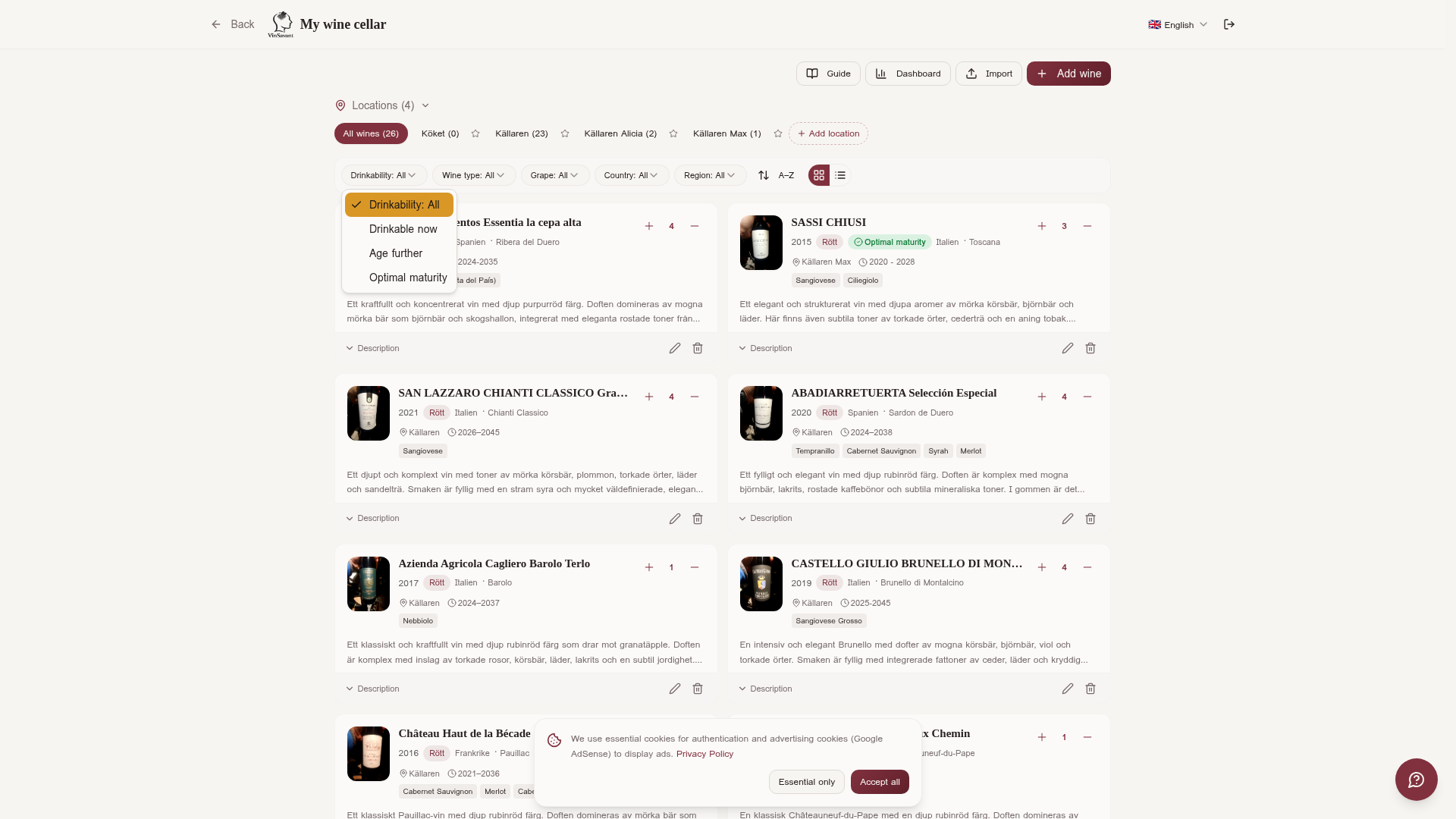
One of the most common mistakes among wine lovers is opening a wine too early — or too late. Every wine has a drink window: the period when the wine is at its best. VinSavant's AI calculates this automatically based on vintage, grape, region, and wine type.
Three drinkability categories
The wine is within its drink window and can be opened. You lose nothing by drinking it today.
The wine is at its absolute peak right now. This is the best time to open the bottle.
The wine needs more time. Tannins are still firm and the flavor profile hasn't fully opened up.
How to use it in practice
- 1.Filter by drinkability. In the wine cellar you can filter by category. Choose 'Drinkable now' to see all bottles that are ready — perfect when you want to quickly pick tonight's wine.
- 2.Prioritize 'Optimal maturity'. These wines are at their absolute peak. If you have wines in this category, drink them before those that are 'just' drinkable — they have more to lose by waiting.
- 3.Plan ahead with 'Wait'. Wines that haven't reached their window yet give you a reason to plan future dinners. Note the year they're expected to be ready.
- 4.Update the information. The AI assessment can be updated with the 'Update information' button in the wine detail view.
💡 Example
Your cellar contains a CASTELLO GIULIO BRUNELLO DI MONTALCINO 2019 with drink window 2025-2045. The AI marks it as 'Wait' with the comment: 'The wine can be drunk now after long decanting, but reaches its peak between 2027 and 2040.'
⚠️ Assessments of drink windows and aging potential assume ideal storage conditions — constant temperature 12-14 C, 60-70% relative humidity, darkness, and a vibration-free environment. Wine stored at room temperature may mature faster.
Three ways to add wines
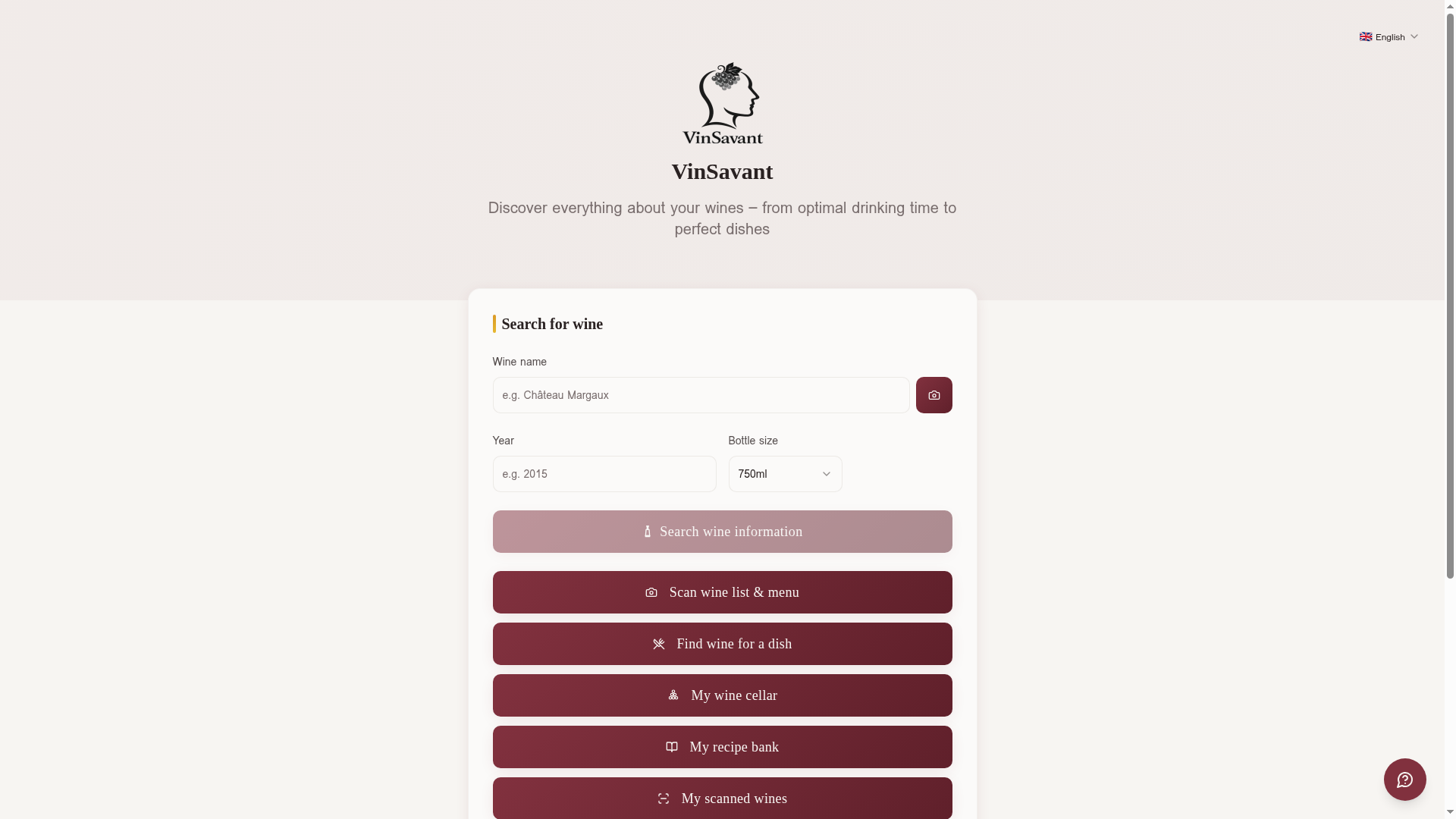
🔍 Search by name
Enter the wine's name and vintage in the search field. The AI finds information about grapes, region, ratings, price, and drink window. Then click 'Save to wine cellar' to add the bottle with quantity and location.
📸 Scan the label
Use the camera (or choose a photo from the gallery) to photograph the wine's label. The AI reads the text, identifies the wine, and fills in all details automatically. Perfect when you're in the store or at the dinner table.
📋 Import from CellarTracker/Vivino
Have an existing collection in CellarTracker/Vivino? Export it as CSV and import directly into VinSavant. All wines are matched and enriched with AI data.
Card view and list view
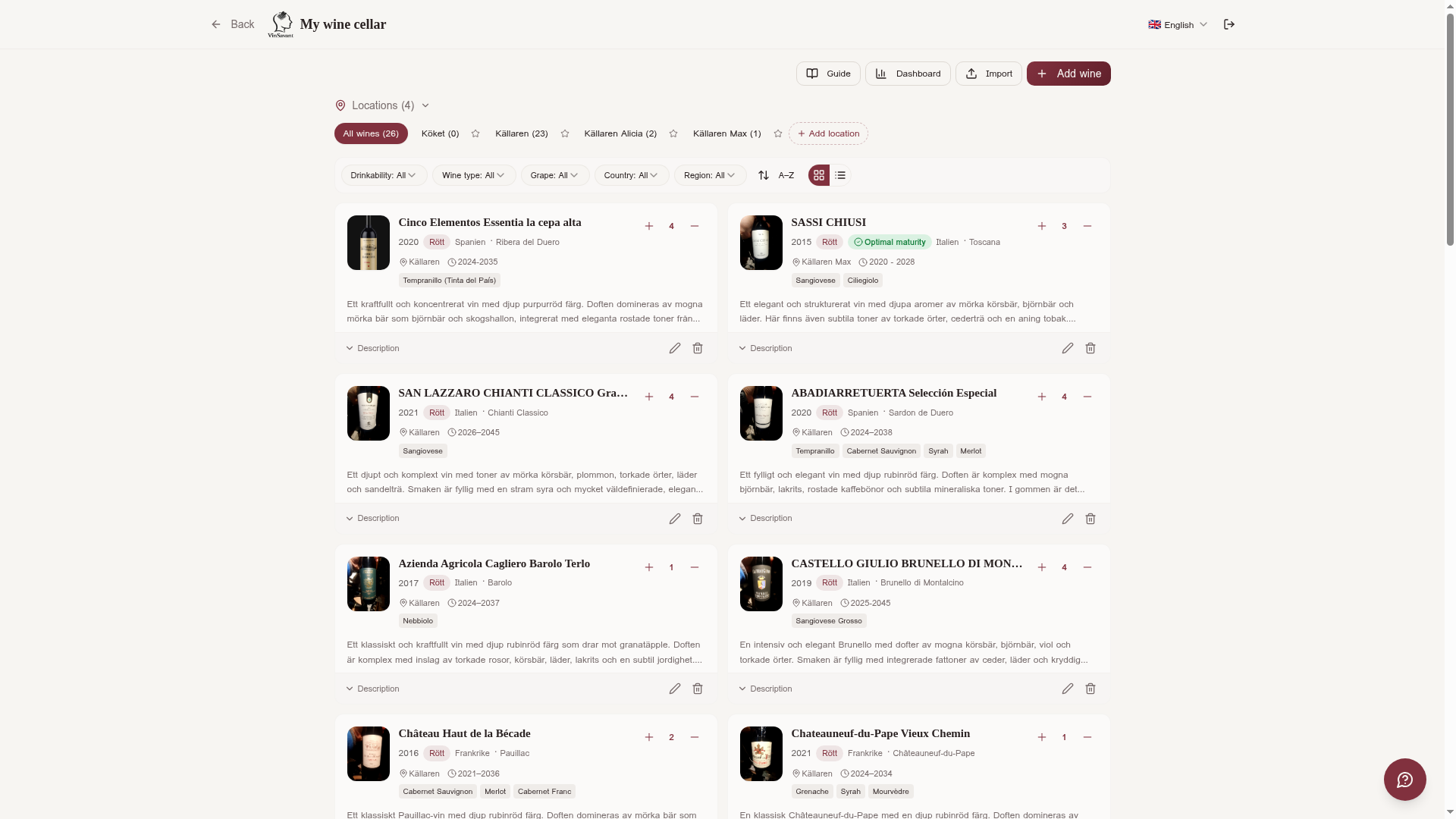
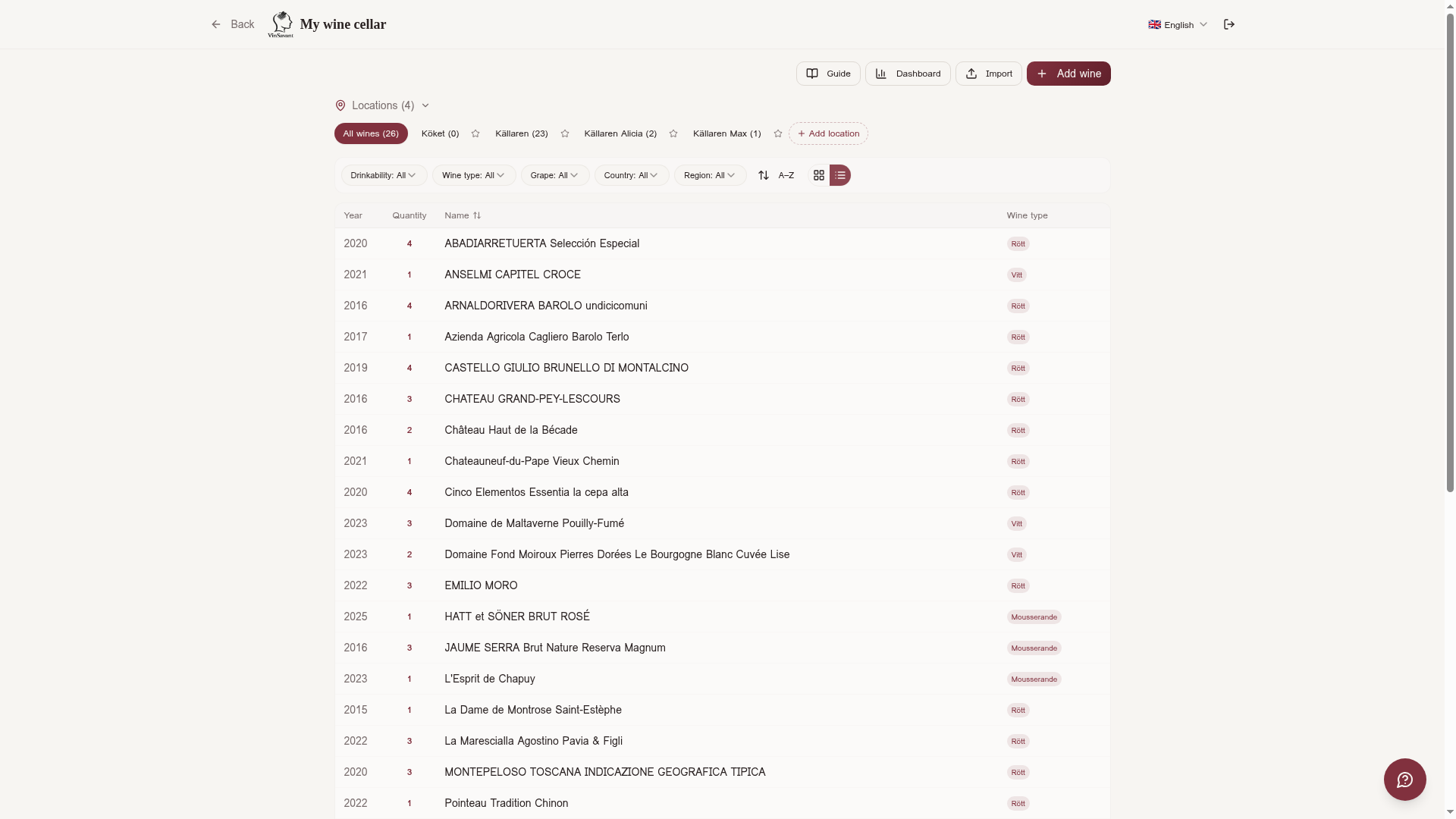
The wine cellar offers two display modes that you can switch between with a single tap:
Shows each wine as a card with image, name, vintage, wine type, and quantity. Drinkability status is shown as a colored badge.
A compact table with columns for Vintage, Quantity, Name, and Wine type. Click the headers to sort. Click a row to see the wine's full information and AI insights.
Wine details and AI insights
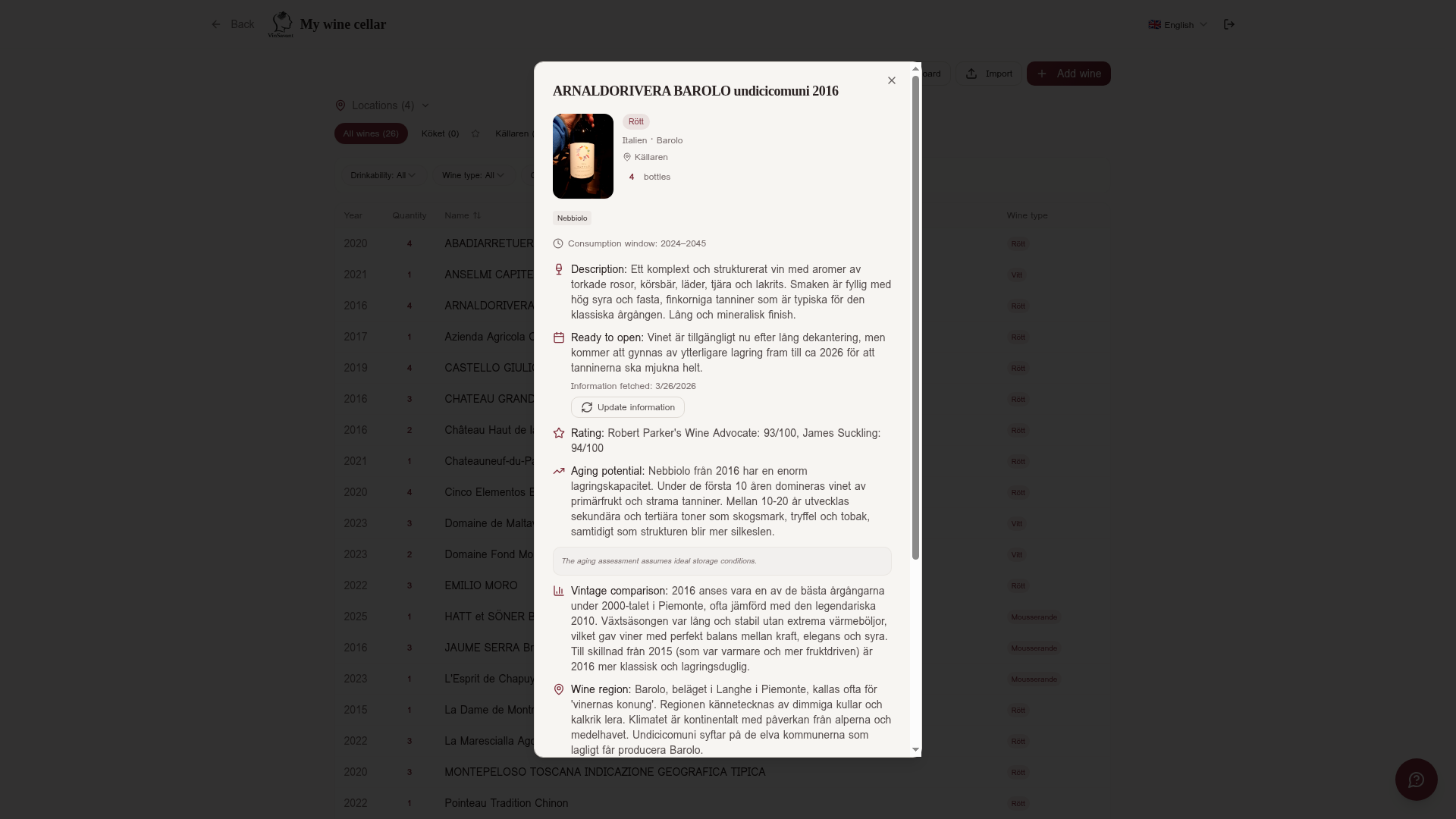
Click a wine card (or a row in list view) to open the full information view. Here you see everything the AI has found:
- 🍇Grapes — Which grape varieties the wine is made from, e.g. Nebbiolo, Sangiovese, or Tempranillo.
- 📍Region & country — Exact wine region and country, e.g. Barolo, Piedmont, Italy.
- ⭐AI rating — Compiled ratings from James Suckling, Robert Parker, Vivino, etc.
- 📅Drink window — Optimal drink window based on vintage and wine type, e.g. 2024-2045.
- 🕐Ready to open? — The AI's assessment of whether the wine is ready now or should wait — with explanation.
- 💰Estimated price — AI-estimated market price based on vintage and region.
- 🏺Aging evolution — A detailed description of how the wine evolves over time — from youthful fruitiness through tannin maturation to full complexity. Shows where in the life cycle the wine is right now and how the flavor profile is expected to change.
- 📊Vintage comparison — How this vintage compares to other vintages of the same wine.
- 🍽️Serving advice — Temperature, decanting, and glass type.
💡 Example from a real wine cellar
ARNALDORIVERA BAROLO undicicomuni 2016 — AI rating: Robert Parker 93/100, James Suckling 94/100. Drink window: 2024-2045.
Locations and organization
Create storage locations to organize your collection physically. Each location can have a name and description.
Example locations:
- • Filter the wine cellar by location to see exactly what's where.
- • Move wines between locations by editing the wine.
- • ⭐ default location
Filters and sorting
Find the right wine quickly with powerful filters:
Red, White, Rose, Sparkling, Dessert wine, Orange
Drinkable now, Optimal maturity, Wait
Filter by storage location
Free-text search on wine name
In list view you can also click the column headers to sort ascending or descending.
Find wine for a dish — from your own cellar
One of the cellar's most practical features is the connection to the food pairing search. When you search for wine to pair with a dish, the AI also searches through your own wine cellar for matches.
🍽️ How it works
- Go to 'Find wine for a dish' and enter a dish.
- The AI matches the dish against wines in your cellar and shows the best matches — marked as 'From your cellar'.
- Only wines rated 'Good' or 'Excellent' match are shown.
- In addition to your own wines, general wine suggestions are also shown.
This means you can always start from what you have at home. Planning a dinner? Enter the menu and see which bottles in your cellar match.
AI-generated recipes
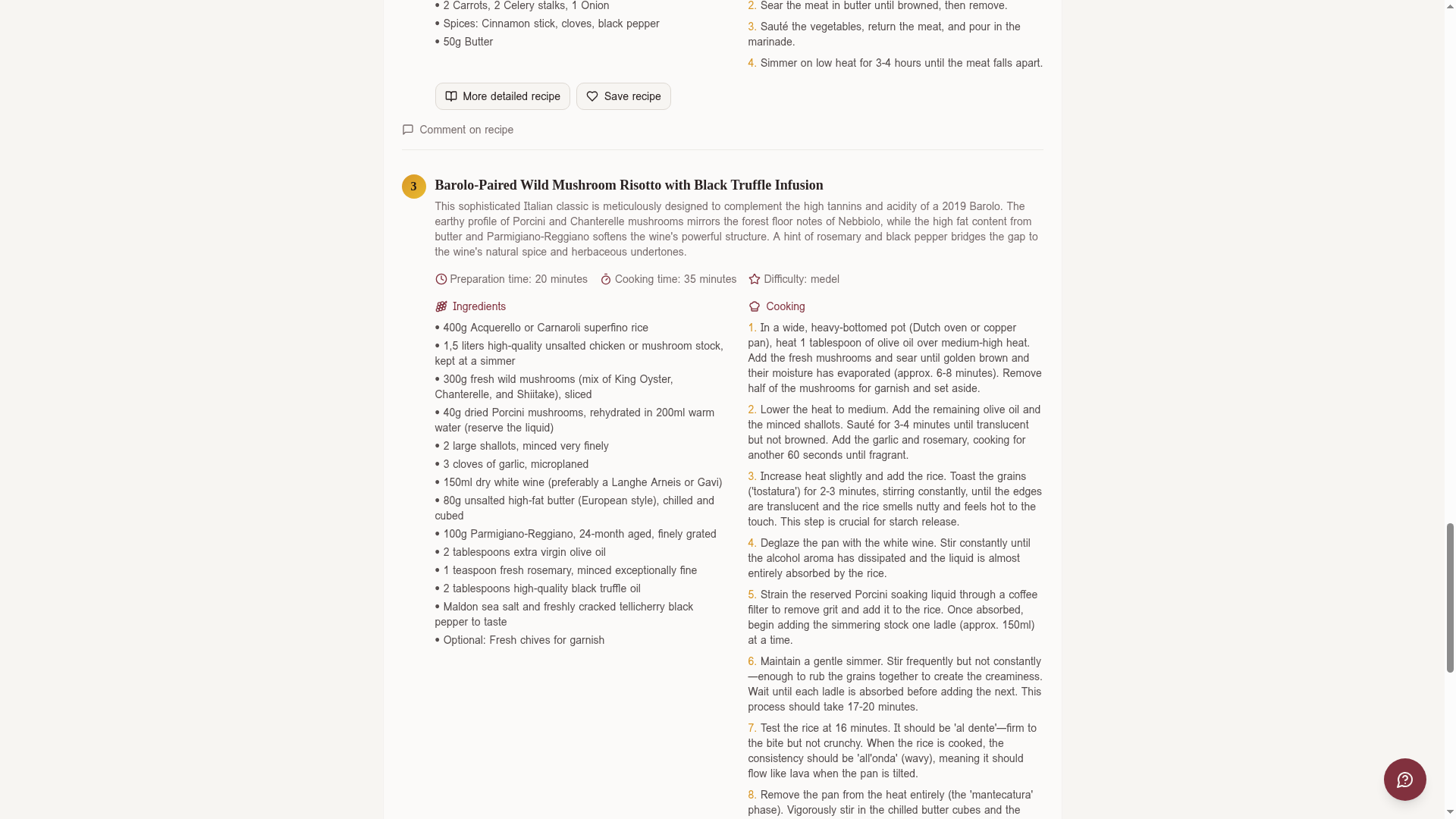
Directly from the wine detail view, you can generate recipes specially tailored to that wine. The AI creates three unique recipes with:
- • Recipe name and description — what the dish is and why it pairs with the wine.
- • Ingredient list — complete with measurements and quantities.
- • Step-by-step instructions — clear and easy to follow.
Recipes can be saved to your recipe bank and shared with comments. Perfect for dinner planning.
Dashboard — your collection in numbers
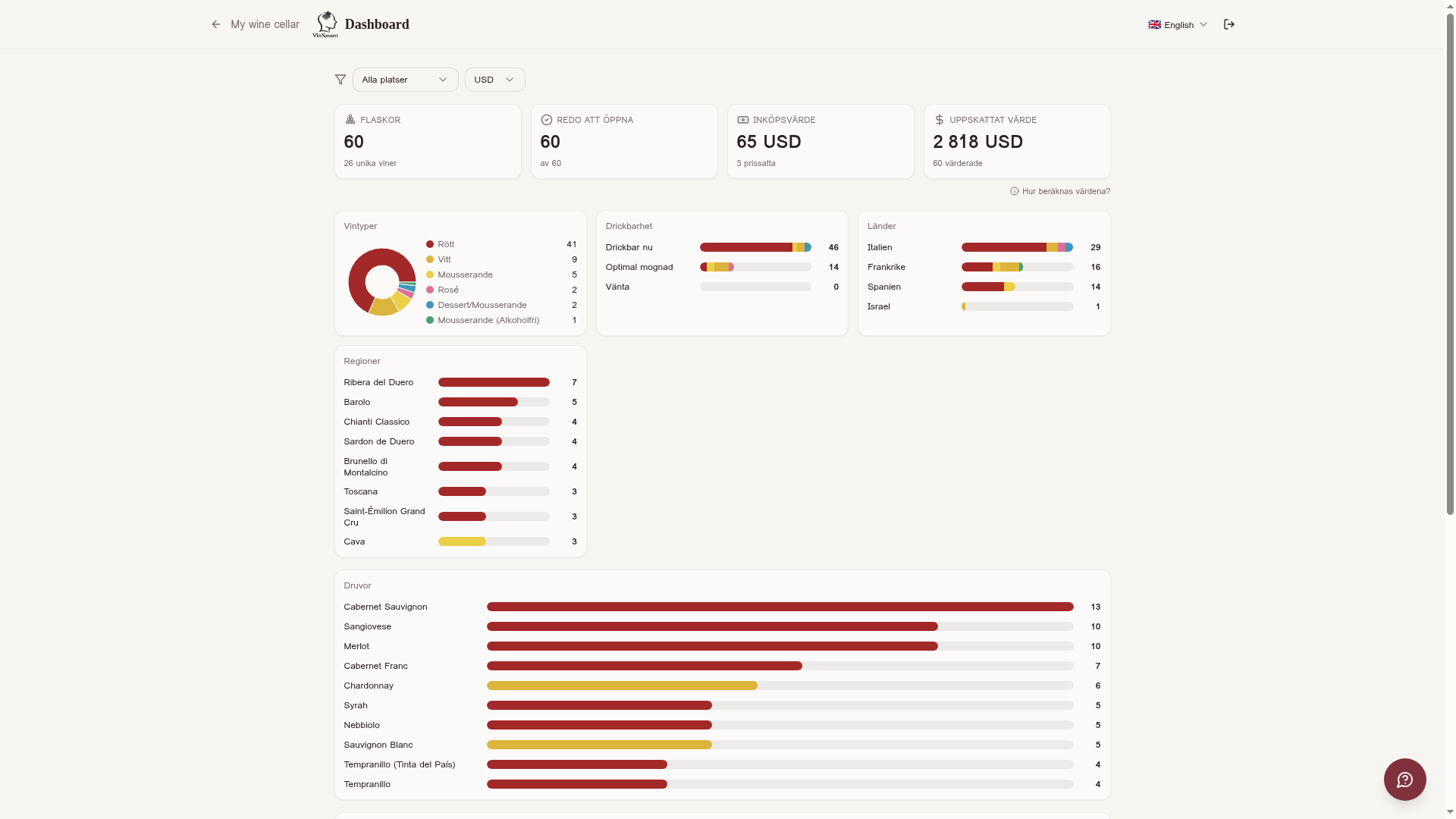
The dashboard gives a visual overview of your entire collection:
How many bottles you have in total.
Number of different wines in the collection.
Based on AI price estimates.
Drinkability is visualized with horizontal bars segmented by wine type.
You can filter the dashboard by location and currency. The currency is automatically detected based on your browser.
Import from CellarTracker/Vivino
If you already have a wine collection in CellarTracker/Vivino, you can easily import it:
- Log in to CellarTracker/Vivino and export your collection as CSV.
- Open VinSavant's wine cellar and click the import icon.
- Upload the CSV file. VinSavant matches each wine and enriches it with AI data.
- Review imported wines and adjust any locations and quantities.
Invite others to your wine cellar
You can invite friends, family, or fellow wine lovers to view or help edit your wine cellar. Perfect for couples sharing a collection, wine clubs, or when you want to show a sommelier what you have at home.
- Open your cellar and tap the settings button (gear icon).
- Choose "Share cellar" and enter the email address of the person you want to invite.
- Pick permission: view only, or view and edit.
- The recipient gets an email with a link. Once accepted, they see your cellar under "Shared with me".
You can revoke a share at any time from the same settings menu. Invited people never see your personal account details — only the wines in the cellar.
Completely free
The wine cellar, dashboard, label scanning, recipe generation, and all other features are completely free — no subscription, no hidden costs. Create an account and start building your digital wine cellar today.